
New account
TPOWER Register — How to Open Your Account
One TPOWER account gives you slots, live casino, sports and 4D on your phone or computer. Registration is open to adults aged 18 and over.
Create your account
Before you register
- You must be 18 or over. TPOWER is for adults only.
- Open the account for yourself. Use your own details, and do not let anyone else sign in with your ID.
- Decide on a budget first. Gambling is entertainment with a real risk of losing money. Settle how much you can afford to lose before your first deposit, and use the deposit and session limits explained on our responsible gaming page.
- Know the rules. Our terms and privacy policy explain how the site works and how your information is handled.
After you register
Your TPOWER ID and password work everywhere: on this site, in your phone's browser and in the TPOWER app. To play from your home screen, download the app for Android or iPhone and sign in with the same details. Next time, go straight to the login page.
Thinking about an offer? Read the promotions page first, and check the terms of any offer — especially the turnover requirement and the expiry date — before you opt in.
If something goes wrong
The form will not go through
Look over each field for an error message or a missing entry. If everything looks right and it still fails, take a screenshot and send it to live support.
You already have an account
There is no need to open a second one. If you cannot get in, see our login help or ask live support to help you recover your existing account.
Your first deposit has not appeared
Deposits go through the cashier in your account. If one stays pending, contact live support with your transaction reference.
How to register with TPOWER
Step 1: Tap Register
Use the Register button on this page or at the top of any page on this site. Starting from our button means you land on the genuine TPOWER form, not a copy.
Step 2: Open the TPOWER sign-up form
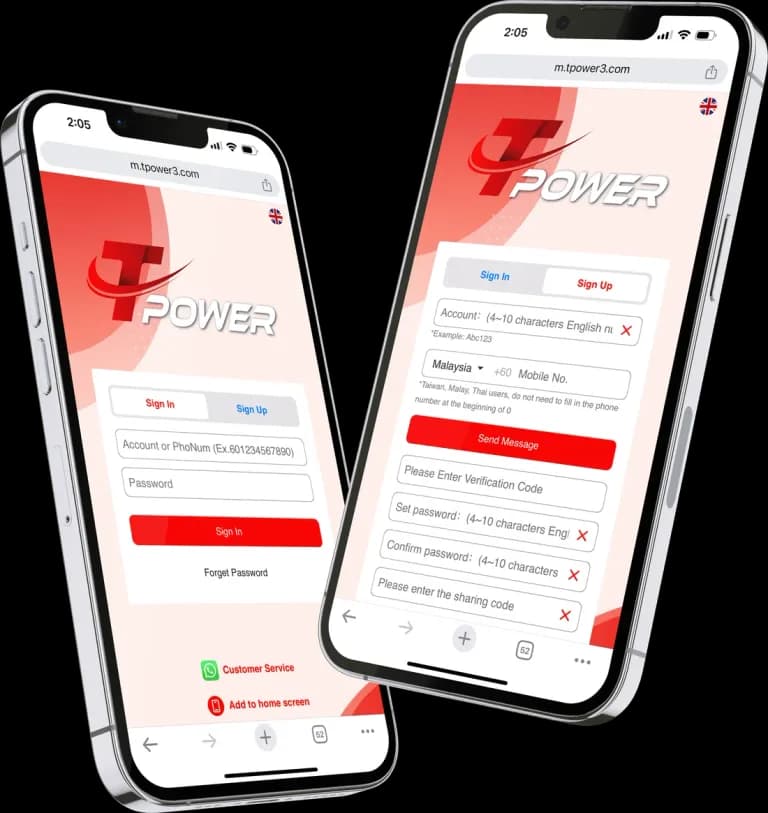
The button takes you to the TPOWER sign-up form on the game platform. Read through what it asks for before you start filling it in.
Step 3: Create your login details
Choose the TPOWER ID and password you will use to sign in. Pick a password you do not use anywhere else and keep it somewhere safe.
Step 4: Complete any checks the form asks for
The form may ask you to confirm some details before your account opens. Follow the prompts on screen; if a step will not go through, contact live support.
Step 5: Make your first deposit
Log in and open the cashier in your account. It shows the payment methods on offer and any minimum amount before you confirm, so you know exactly what you are paying.
Registration questions
Do I need the app to register?
No. You can register in your phone's browser or on a computer, then sign in to the app later with the same ID and password.
Is there a welcome bonus when I register?
Any offers running are shown on our promotions page with their terms. Read the terms in full, including turnover and expiry, before you opt in to anything.
How do I change my account details later?
Contact live support with the change you need. Our support team may ask you to confirm some details first, to make sure the request really comes from you.